Remove the background from an image
Most background removers upload your photo to a server. This one does not.
The model is loaded into your browser and the image is processed on your own machine. Two things follow from that. Your photo never leaves your computer, and the action costs no credits, because there is no server doing the work.
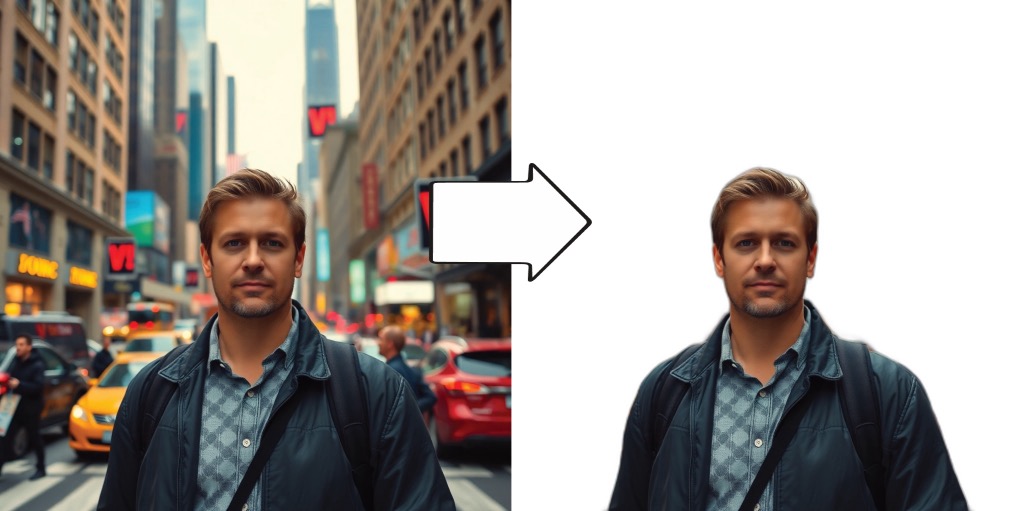
What you get is a subject sitting on a transparent canvas with everything behind it gone. Drop another image behind it and you have a composite, without ever opening a masking tool.
How it works
- 1Add your photo to the canvas.
- 2Select the image so its toolbar appears.
- 3Choose Remove Background.
- 4The subject stays and the background turns transparent. Drop another image behind it to composite.
What people use it for
- Product photos that need a clean or white background
- Cutting a person out to drop them into a different scene
- Profile pictures, headshots and avatars
- Collages and photomontages built on the infinite canvas
- Transparent PNGs for slide decks and thumbnails
Where it struggles
- Hair is the honest weak point. Flyaway strands, fur, netting, glass and motion blur are semi-transparent, and every background removal model approximates them rather than solving them. Expect to see it at the edges.
- The first run has to download the model into your browser. That one is slower. Runs after it are quick.
- Contrast does most of the work. A dark jacket against a dark doorway separates far worse than the same jacket against a pale wall, so if a cut-out comes out rough, the photo is usually the reason.
Common questions
- Is my image uploaded to a server?
- No. Background removal runs client-side. The model loads into your browser and the image is processed on your own machine.
- Does it use credits?
- No. It runs locally rather than on a server, so there is nothing to charge for.
- Can I put a new background behind the subject?
- Yes. Once the background is transparent, add another image to the canvas and arrange it behind the cut-out. The repair tool cleans up the seam where the two meet.
- Why is the edge around hair rough?
- Fine semi-transparent detail is the hardest case for any background removal model. Photos where the subject contrasts clearly with what is behind it come out noticeably cleaner.